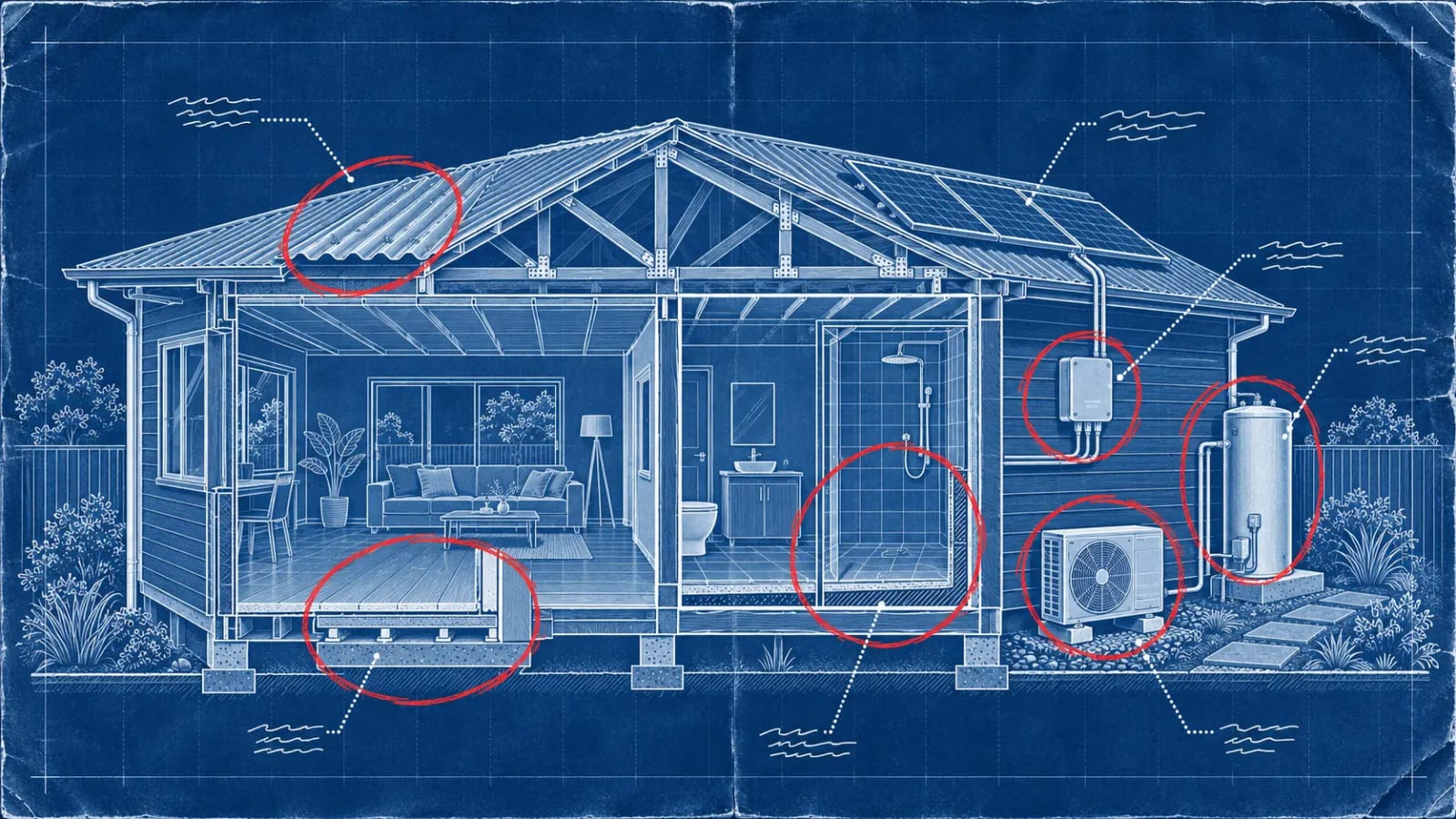
A year after handover, the phone rings. It's a manufacturer, and they have a question about a job you thought was finished.
| The fault | What they ask for |
|---|---|
| Hot water unit weeping at the base | The water pressure at the property |
| Floating floor lifting at the doorway | Your concrete moisture test result |
| Colorbond roof chalking in one corner | Proof someone washed under the eave |
None of those questions is a trick. Each condition was written down before you picked up a tool, in a document you probably never opened. Now it decides whose problem the fault is.
The short answer
Manufacturers knock back warranty claims by checking the job against conditions buried in the installation instructions, a warranty booklet or a bulletin it points to. The usual ones are who installed it, whether the site met the limits, whether you used matching parts, and whether you can prove any of it. Read them before you install and keep the evidence.
It only holds if the job went the way the maker assumed. Every condition is one of those assumptions. When a claim lands, the manufacturer starts ticking them off, and any one you can't prove is a reason to say no.
Can they really void it over a bad install?
Sometimes. It depends where you work, and it's less dramatic than "that voids the warranty" makes it sound.
Australia
The ACCC says a manufacturer's warranty applies in addition to the consumer guarantees under the Australian Consumer Law, not instead of them.
On site: a warranty can't switch off your customer's statutory rights. But a bad install doesn't become a covered fault, and the customer's first call is to whoever did the job.
United States
The FTC says a company can't void a warranty solely because someone it didn't authorise did the work or supplied a part. It can exclude damage that work or part caused.
On site: "someone else touched it" isn't enough by itself. "Your install caused the failure" is what they go looking for.
Sources: ACCC on warranties and the FTC on warranties and repair restrictions. This is general information, not legal advice.
Eight ways claims get knocked back
The paperwork looks different from trade to trade. The conditions barely change. These eight turn up again and again, each with a real example from a manufacturer's own documents.
| Condition | What they check | Real example |
|---|---|---|
| 1. Who installed it | Licence, insurance, training | Rheem's trade terms require a trained, licensed and fully insured installer. MHI Australia says an unlicensed installer voids its 5 year warranty. |
| 2. Which instructions | The version current on install day | BlueScope's sample roofing warranty requires its guidelines current at the time of installation, plus the Building Code in force that day. |
| 3. The site | Pressure, moisture, flatness, location | Rinnai's booklet excludes excessive pressure, negative pressure or pulsation. Sungrow's terms void the inverter warranty within 2 km of the coast, if it's supplied without its C5 enclosure. |
| 4. Space and airflow | Clearances, ventilation, expansion gaps | MHI says covering an outdoor unit may void its warranty. Sungrow's Australian warranty lists poor inverter ventilation as an exclusion. Preference Floors' guide says leaving out the expansion and transition trims voids it. |
| 5. Matching parts | Was it all from the approved system? | REHAU's PEXa specification warrants pipe and fittings as an approved assembly, and a bulletin excludes fittings supplied by others. Mapei's 10 year system warranty needs a Mapei product in every layer. BlueScope wants flashings and cappings in branded Colorbond steel. |
| 6. Alterations | Anything added, changed or "improved" | Rheem says tampering with relief valves or safety devices may void cover. Signature Floors' guidelines say an extra underlay voids it. The Australian Wood Company's instructions say that includes cabinetry set on top of the planks. |
| 7. Records | Proof of the conditions on the day | Preference Floors says no records of subfloor moisture means no product warranty. Godfrey Hirst's instructions say to measure and keep a record. |
| 8. Maintenance | What the owner did afterwards | BlueScope's sample warranty requires maintenance to its Technical Bulletin TB-4, including a wash of unexposed areas at least every 6 months. Rheem excludes faults from not maintaining the unit per its owner's guide. |
Licence is number one on that list, so it's the one everyone remembers. It's also only one of eight. A licensed install that ignored the instructions can still lose the cover.
The numbers they actually check
Most of these conditions come down to a figure. Here are a few from the documents above, the kind of thing a manufacturer asks you to prove.
These are examples, not rules for every product. Brands differ. One hybrid floor wants expansion gaps of at least 10mm, another allows 3 to 5mm at the wall. That's why you read the document for the exact product in front of you, on the day.
Where the conditions hide
Half the problem is finding them. They're rarely on the page you read first.
| Where it hides | Example | What to do |
|---|---|---|
| Back of the install instructions | Rheem prints its warranty terms and exclusions after the install steps. | Read to the last page, not the last step. |
| A separate warranty booklet | Rinnai publishes warranty booklets apart from the installation manual. | Download both for the exact model. |
| A bulletin it points to | BlueScope's warranty refers to Technical Bulletin TB-4 for maintenance. | Open every document the warranty mentions. |
| The manufacturer's website | Rheem's brochures send you to rheem.com.au/warranty for the full conditions. | Treat the printed summary as a summary. |
The five-minute read before you install
You don't need the whole manual. You need to know where to look.
- Warranty terms or exclusions. The list of things that cancel or limit cover.
- Installation requirements. Licence, codes, who is allowed to do the work.
- Site and supply limits. Pressure, moisture, flatness, location, temperature.
- Clearances and movement. Space, ventilation, expansion gaps, access.
- Approved parts. What must be fitted and what must come from the same maker.
- Commissioning and maintenance. What to test at handover and what the owner has to do.
Highlight anything that says "must", "not covered" or "voids". That list is your site checklist for the job.
Build the paper trail before you leave
A claim is decided by what you can show, not what you remember. A two minute photo on the day is worth more than any argument a year later.
- Photo of the model and serial plate.
- Install date, your licence number and any compliance or test certificate.
- The readings the instructions care about, such as supply pressure or slab moisture, dated.
- Photos of clearances, gaps and the fittings you used.
- The instructions you followed, saved as a PDF with the job.
The owner's maintenance is the last gap. Most of it lands on them, so put it in writing at handover. "I told them at the time" is much weaker than a line on the job sheet.
What to put on the job sheet
"Job complete at [address]. Installed [model and serial number] on [date] by [name, licence number]. Measured supply pressure [kPa] and slab moisture [reading] on the day. Photos of clearances and fittings saved with the job. Maintenance is the owner's responsibility, as per the manufacturer's owner's guide: [for example, wash roof areas not exposed to rain at least every 6 months]. Please keep this for your records."
If a variation changed the install, get it signed off in writing too.
Where Smart Assistant fits
These conditions sit in long PDFs, in a different place for every brand. Smart Assistant answers from manufacturer manuals, technical documentation and standards. Ask what the documents say about clearances, supply limits or approved accessories for the product in front of you, and it answers from the document and shows you the source.
Two honest limits. It's only as good as the documents it can search, so for anything warranty-critical, open the source it points to and check it against the current manual. And it doesn't replace reading the exclusions for the product you're fitting. For why checking the source matters, see why ChatGPT gets standards wrong, and for the wider picture see AI tools for tradies: what actually works in 2026.
Read the back pages
Warranties rarely fail because someone cut a corner on purpose. They fail because a condition sat in a document nobody opened, the job was done in a morning, and the question only came a year later. Find the exclusions, check the site against them and keep the evidence.
Smart Assistant is part of Pro, which is $9 a month, and first-time subscribers get a 14-day trial. You can start on the sign up page.
Frequently asked questions
If I'm a licensed installer, is the warranty automatically safe?
No. A licence is usually only one condition. Manufacturer warranties also tend to exclude faults from installation that does not follow the instructions, a site outside the stated limits, clearances that were not met, parts the manufacturer did not approve, alterations and missed maintenance. A licensed install that ignored the instructions can still lose the cover.
Can a manufacturer void a warranty just because someone else installed or serviced the product?
It depends on where you are, and this is general information, not legal advice. In the US, the FTC says a company cannot void a warranty solely because someone it did not authorise did the work or supplied a part, but it can exclude damage that work or part caused. In Australia, a manufacturer's warranty sits on top of consumer guarantees under the Australian Consumer Law, which a warranty cannot exclude, but that does not mean a faulty installation is covered by anything else.
Where do I find the warranty conditions for a product I'm installing?
Start with the installation instructions for the exact product, since some manufacturers print the warranty terms inside them. Others publish a separate warranty booklet, or refer to technical bulletins and installation guidelines that sit elsewhere. Download the versions that are current on install day, because some warranties are tied to the guidelines in force at the time of installation.
Are the warranty conditions the same across brands of the same product?
No, and that is how people get caught. For example, one hybrid flooring brand's instructions call for expansion gaps of at least 10mm, while another allows a minimum of 3 to 5mm at the wall. Moisture limits, clearances and approved accessories also differ by brand, so read the document for the exact product in front of you.